Playing an X01 Match
Ready to step up to the oche? Oche Tracker handles all the scoring so you can focus on throwing. Here’s how to get a match going.
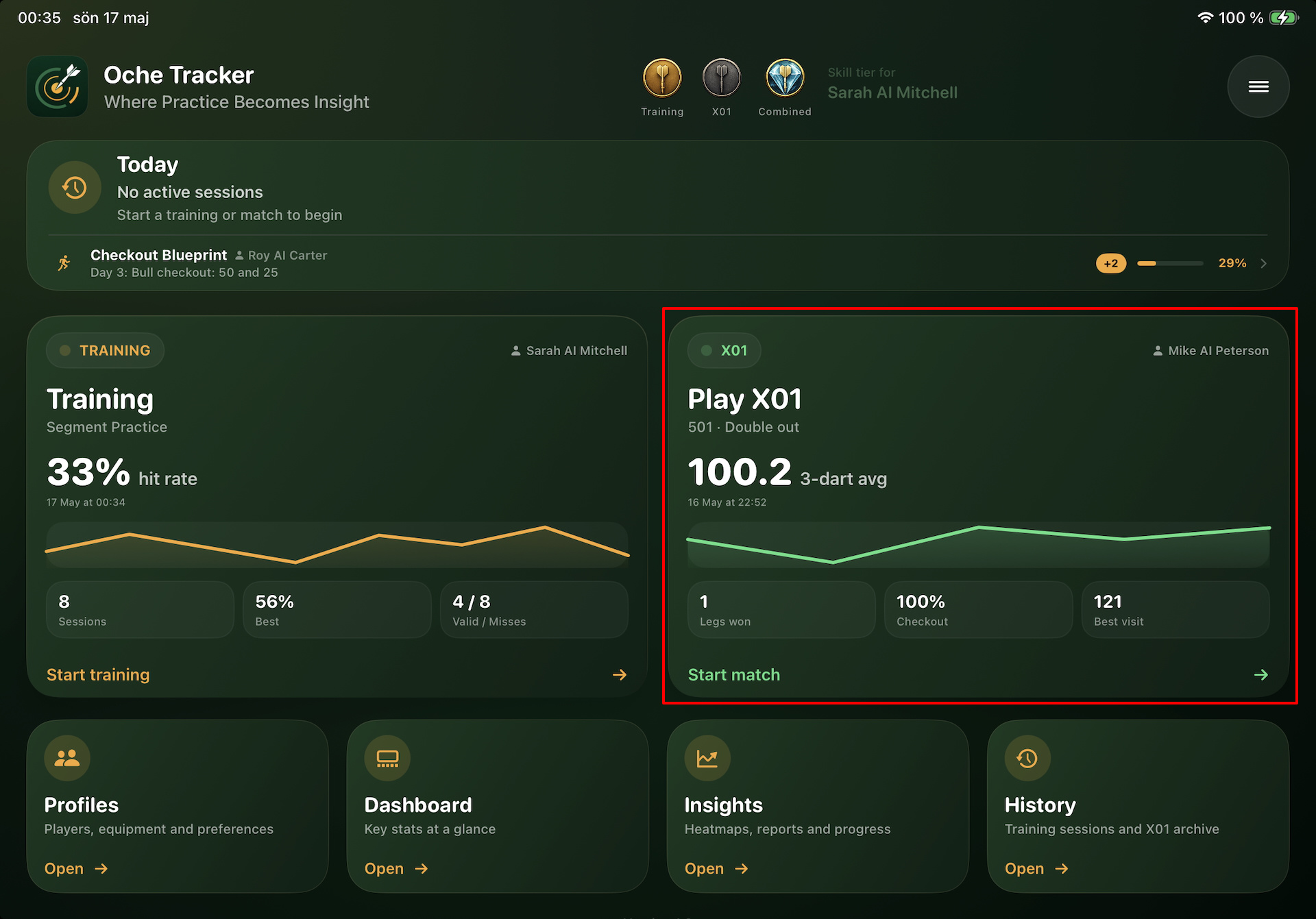
Step 1 — Open the app and tap ”Start match” on the home screen
From the home screen, tap the Start match button on the X01 card.
Step 2 — Configure your match
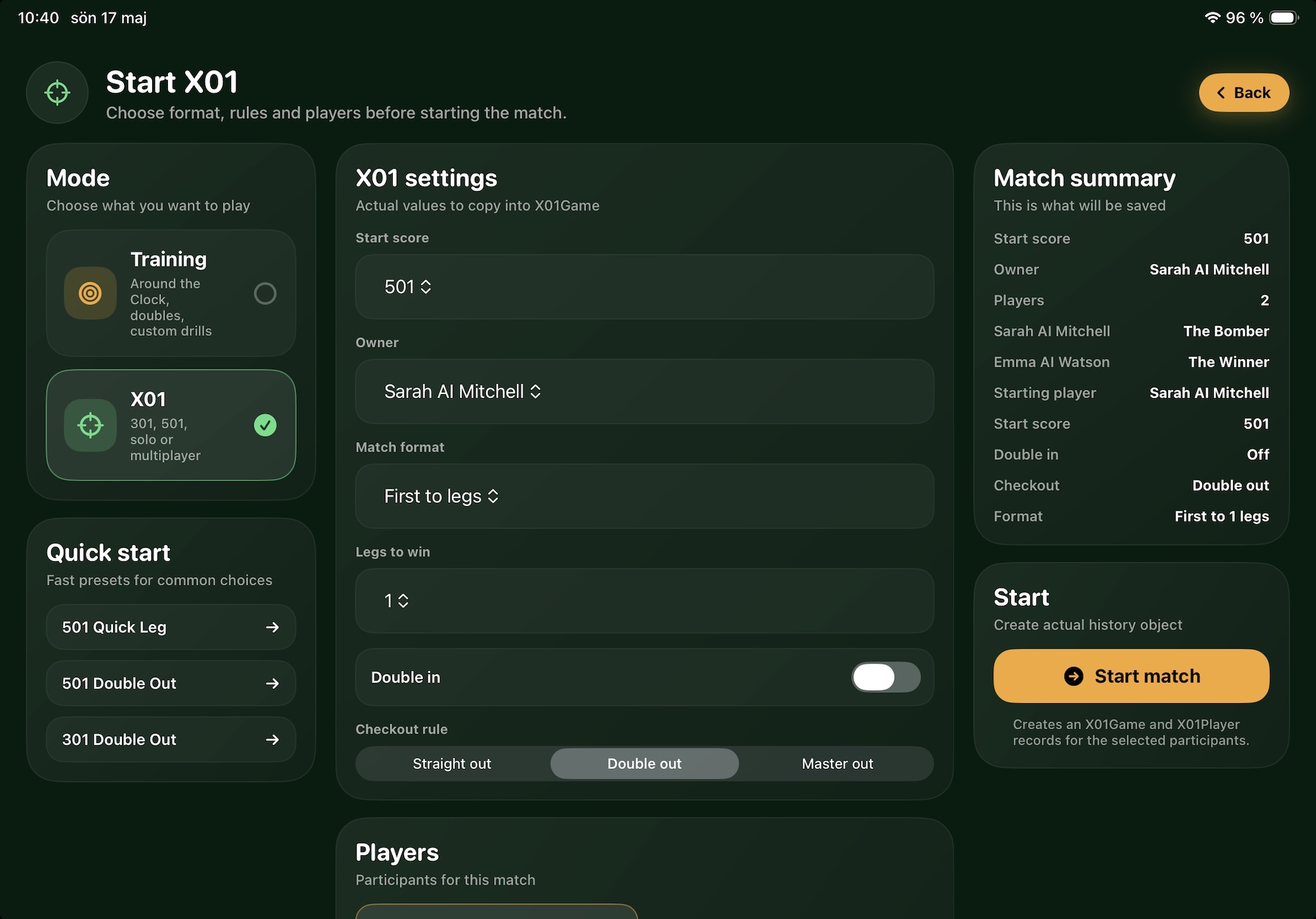
The setup screen lets you dial in exactly the kind of game you want to play.
- Start score — choose 101, 201, 301, 501, 701 or 901. 501 is the most common format.
- Match format — play first to a number of legs, or go full sets with legs-per-set control.
- Checkout rule — Straight out, Double out or Master out.
- Double in — toggle this on if you want players to hit a double before they start scoring.
- Players & dart sets — add one or more players, assign each their dart set, and choose who throws first.
If you’ve played before, you can also pick a saved preset from the Quick Start list to jump straight in with your favourite settings.
A live match summary on the right keeps track of everything as you configure, so there are no surprises when you start.
Step 3 — Score your visit
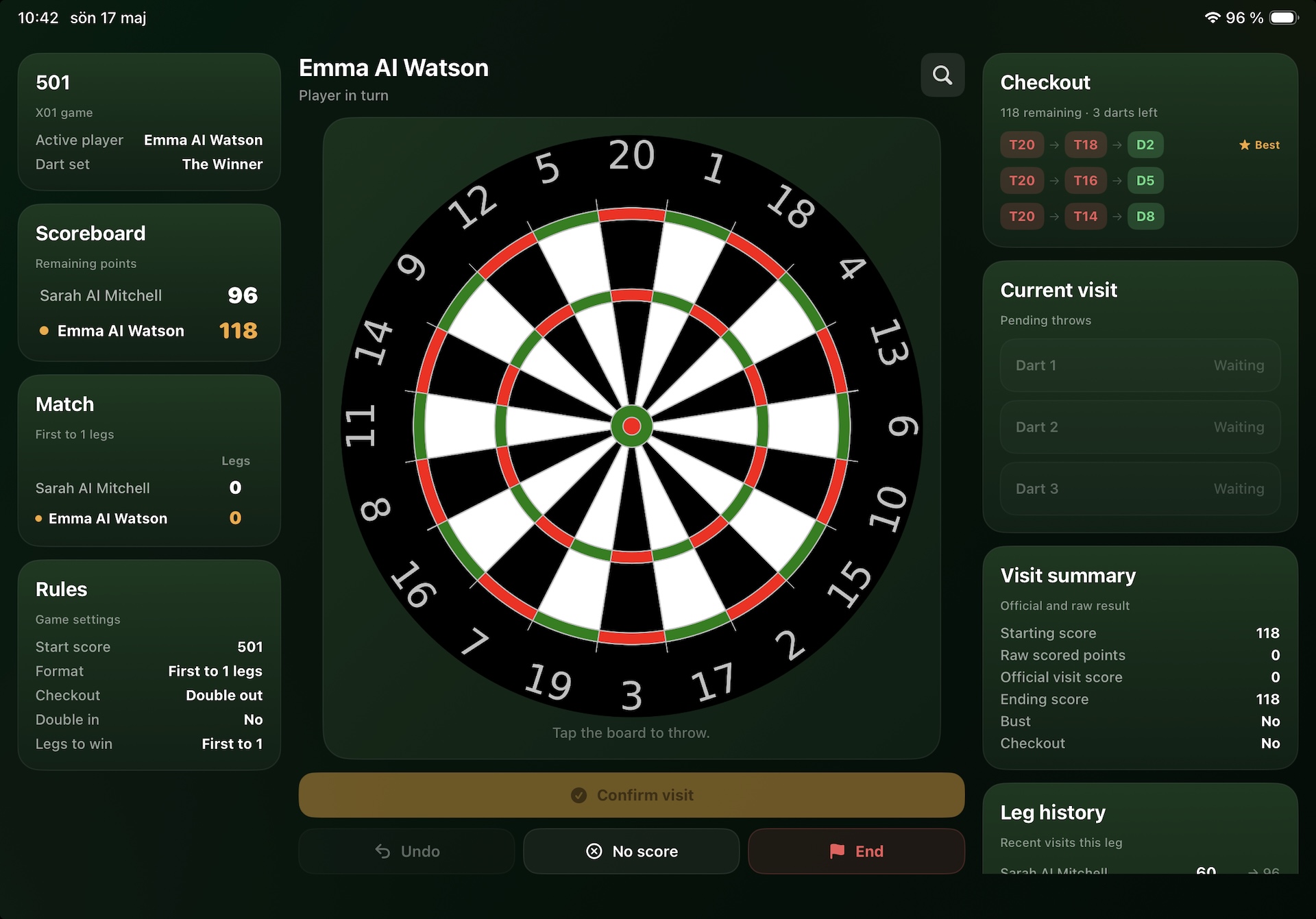
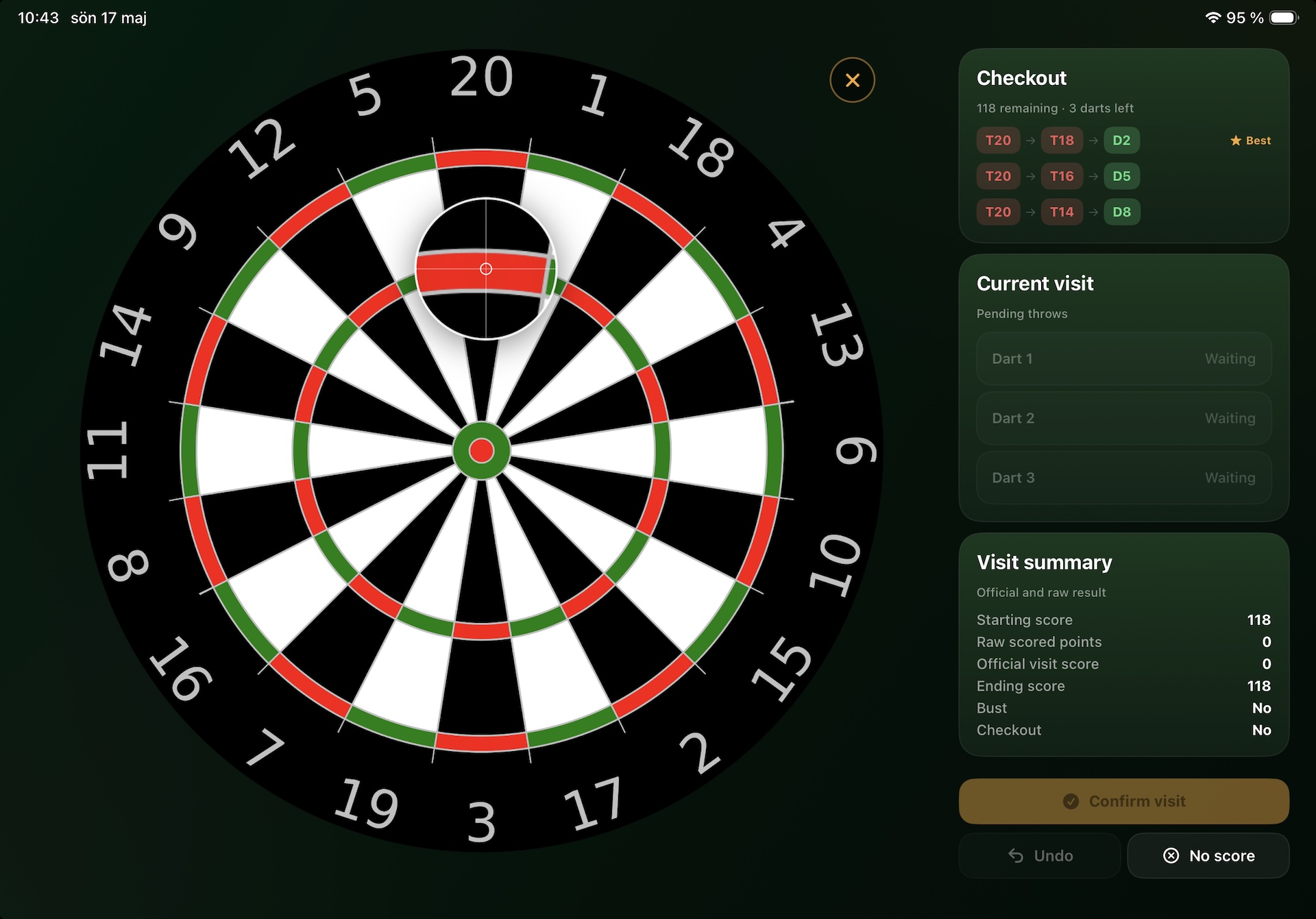
The play screen puts the dartboard front and centre. After each dart, tap where it landed on the board. Your remaining score updates in real time with each tap, and the scoreboard on the left shows every player’s current total at a glance.
Once all three darts are thrown, tap Confirm visit to lock in the result and pass to the next player.
- Bust? The visit is automatically recorded as zero and your score reverts — no manual adjustments needed.
- Checkout within reach? The app shows up to three suggested checkout routes with the recommended combination highlighted.
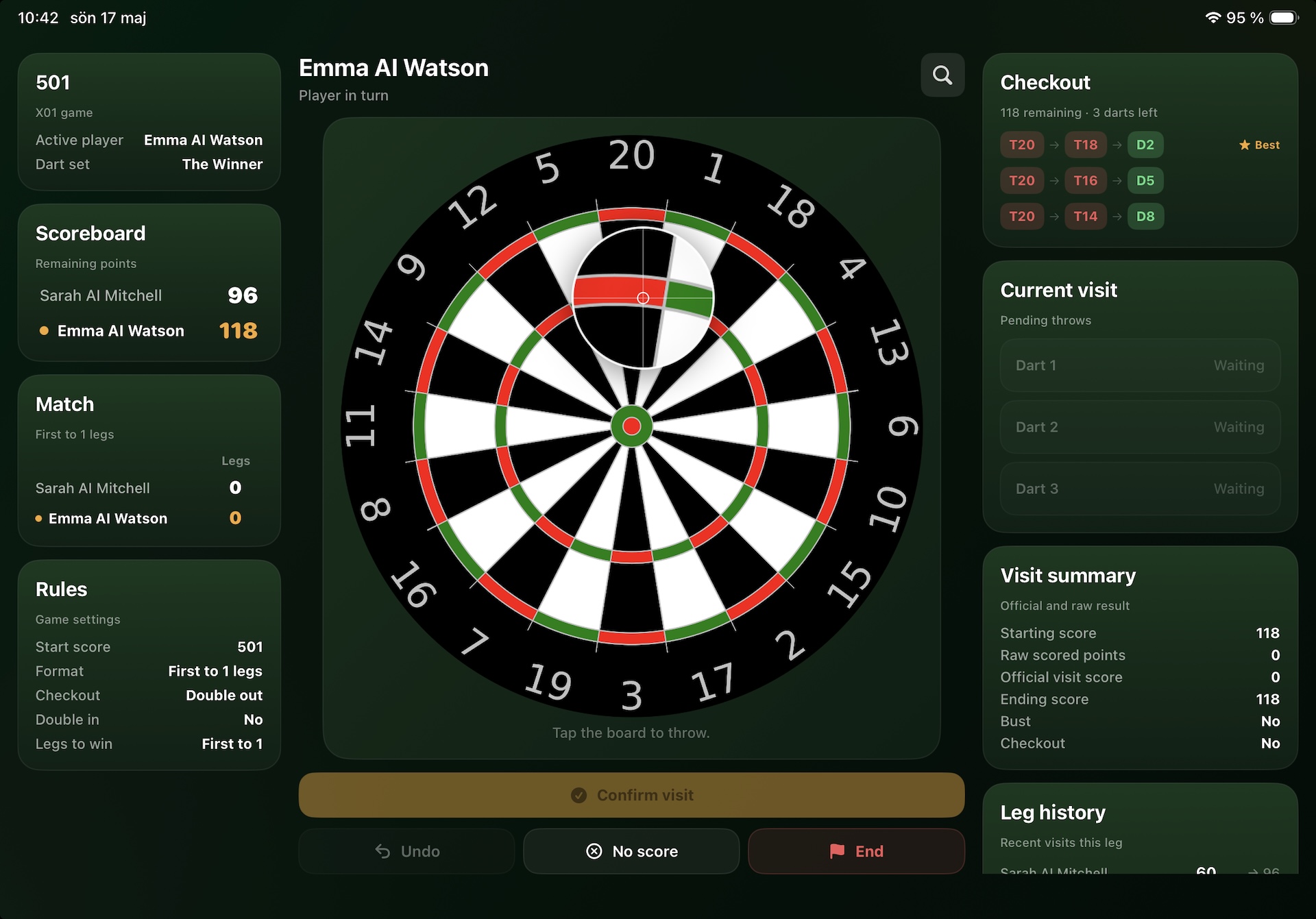
For more precise marking of your dart hits, tap the magnifying glass in the upper-right corner of the dartboard to enable zoom mode. You can also press and hold directly on the dartboard to display a magnified view around your finger or stylus. This makes it much easier to place each dart exactly where it landed.
Every visit is saved as you play — so stats and averages are always accurate, even if you end a game early.
Step 4 — Win the leg (and the match)
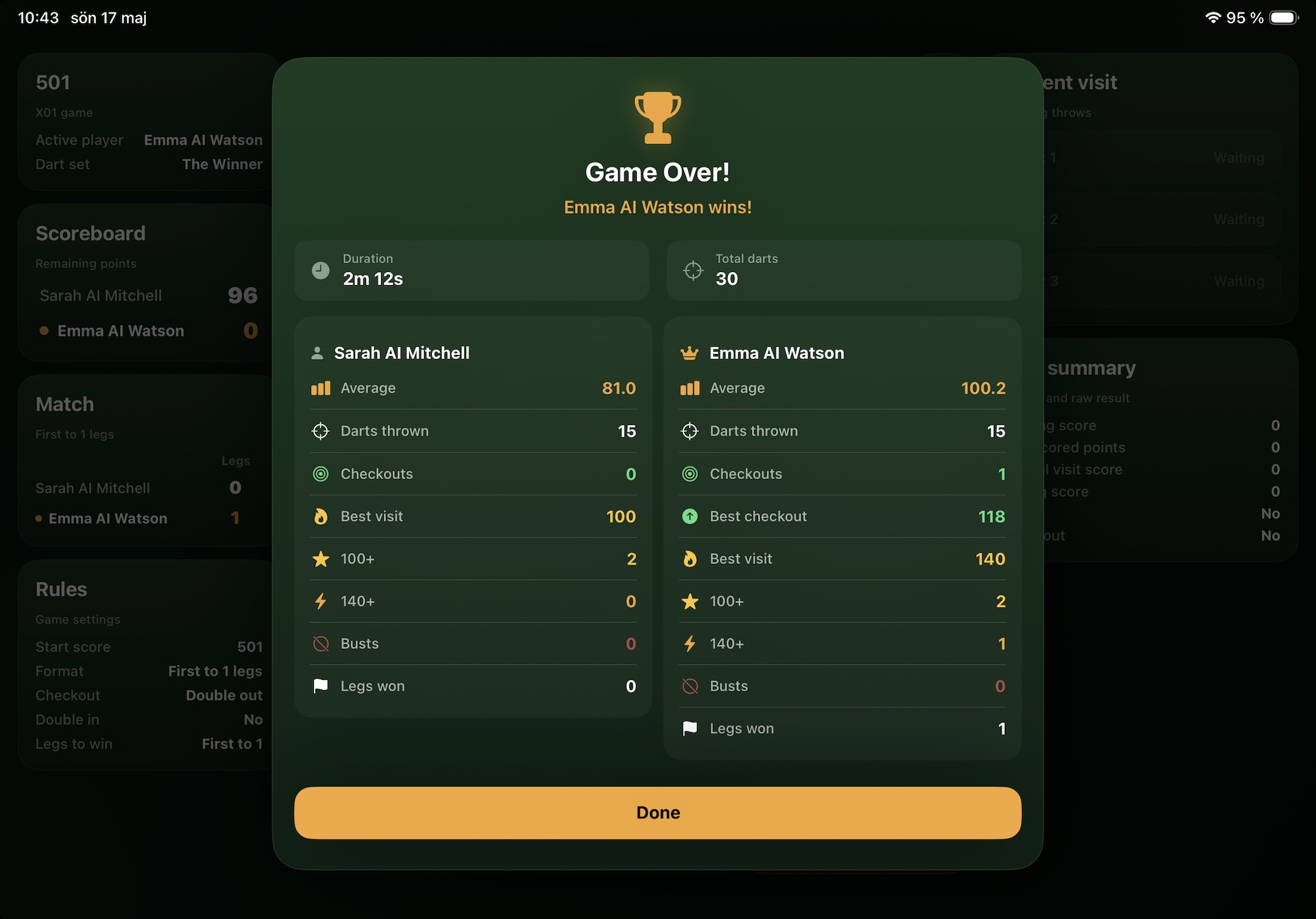
Hit your checkout and a Leg Won! banner appears with the current standings. Keep going until someone claims enough legs or sets to win the match — then a full Game Over summary shows averages, best visit, checkouts and more for every player.
Good luck with your X01 play and thank you very much for using Oche Tracker!
Nicklas Bågvinge
Just a stubborn old fella from Sweden with a dartboard and a dream