Starting a Training Session
Whether you’re warming up before a match or grinding a specific skill, Oche Tracker makes it easy to turn every practice throw into real data.
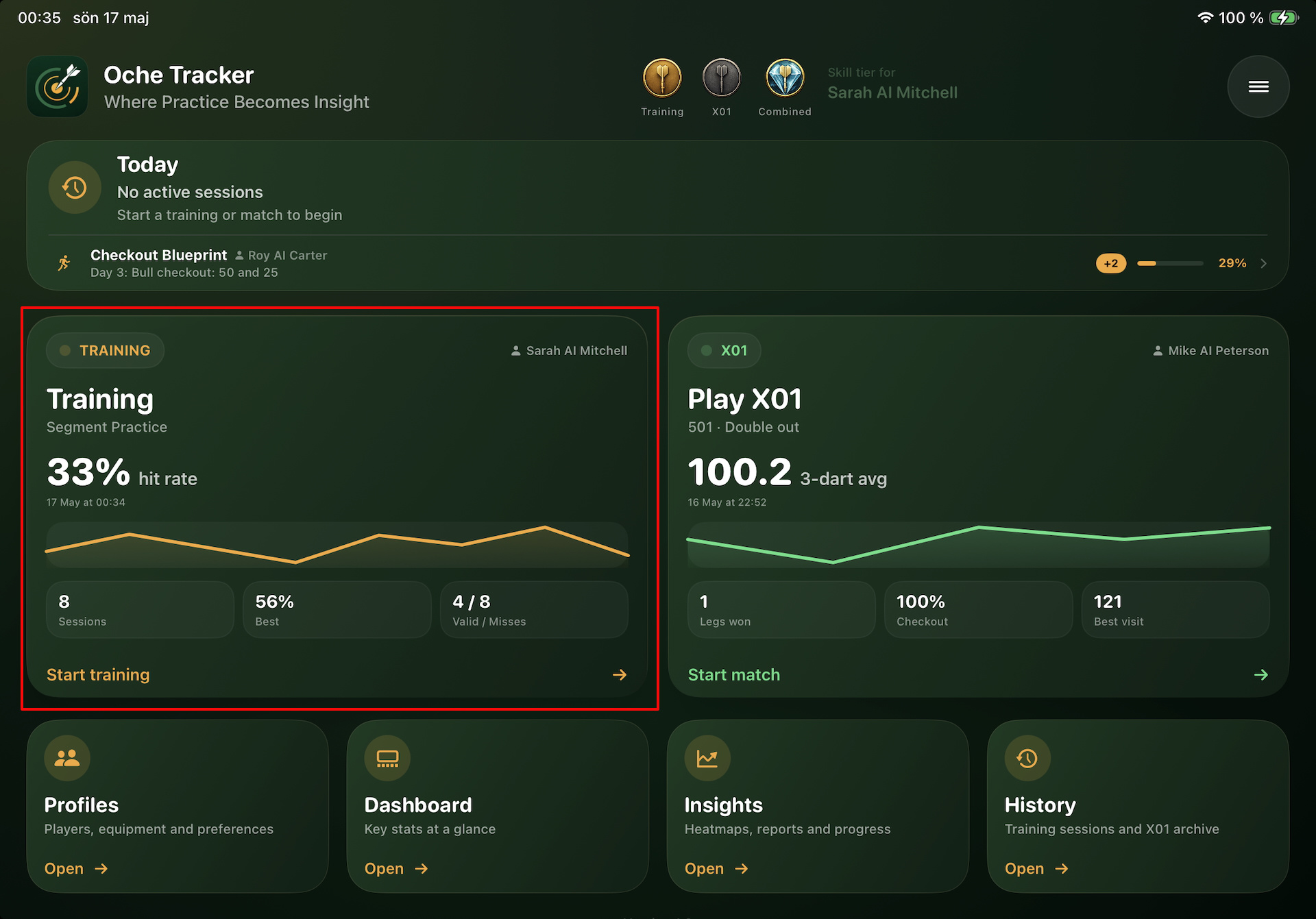
Step 1 — Open the app and tap ”Start training” on the home screen
From the home screen, tap the Start training button on the Training card.
Step 2 — Set up your session
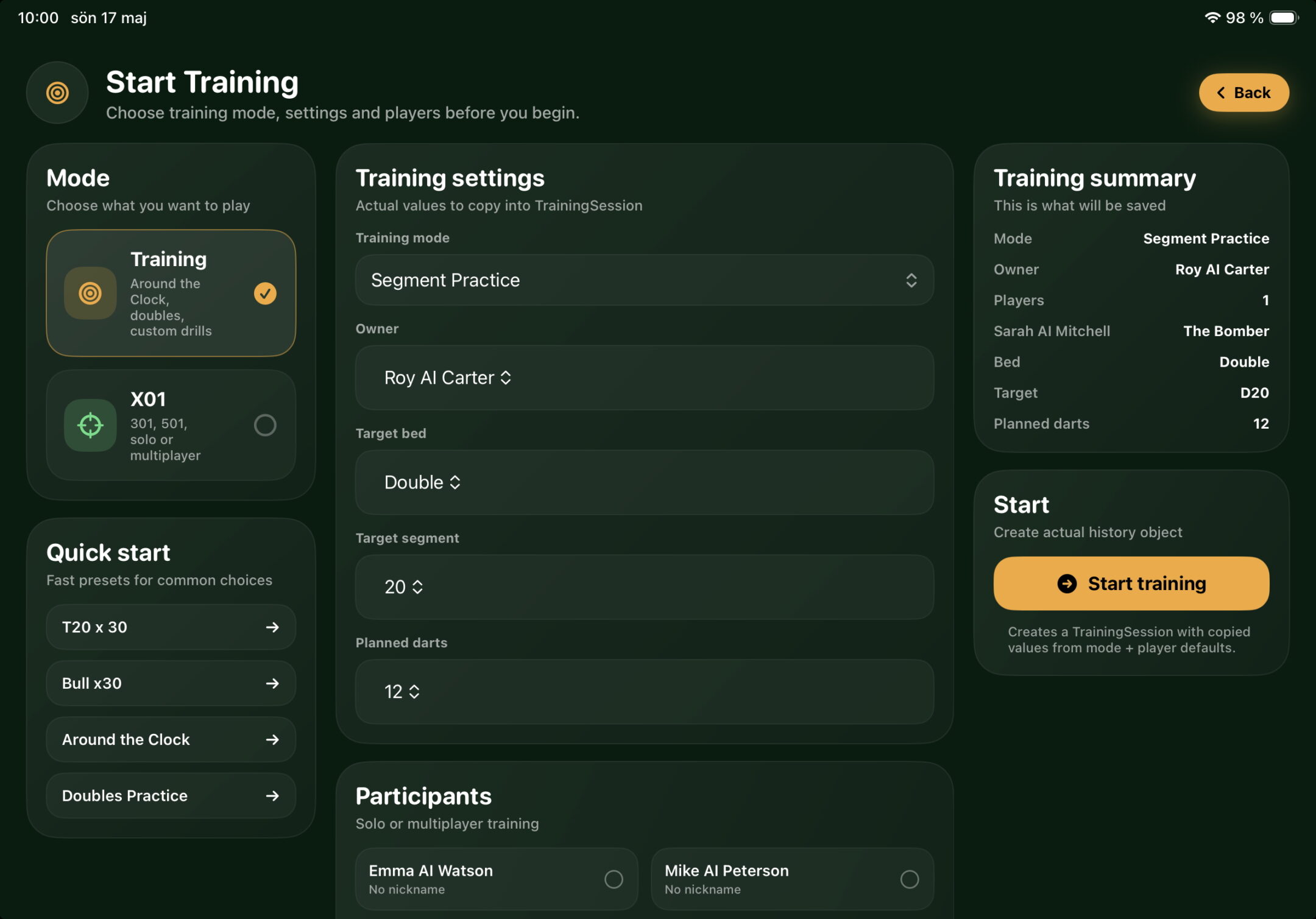
The session setup screen lets you configure everything before you throw your first dart.
- Choose a training mode — pick from Around the Clock, Doubles Practice, Triples Practice, Bull Practice, Segment Practice, and more. Each mode automatically adjusts the available options to match. You can also select an existing Quick Start to get going even faster.
- Adjust the settings — set how many darts per target, which bed to aim for, and whether to randomise the target order or finish on bullseye.
- Select your dart set — choose which barrel you’re throwing with. Oche Tracker tracks performance per dart set, so this is how you find out which set actually plays best for you.
- Add players — training with a friend? Add multiple participants and pick who throws first.
A live summary on the right updates as you make your choices, so you always see exactly what you’re about to start before you tap Start training.
Step 3 — Throw, tap, repeat
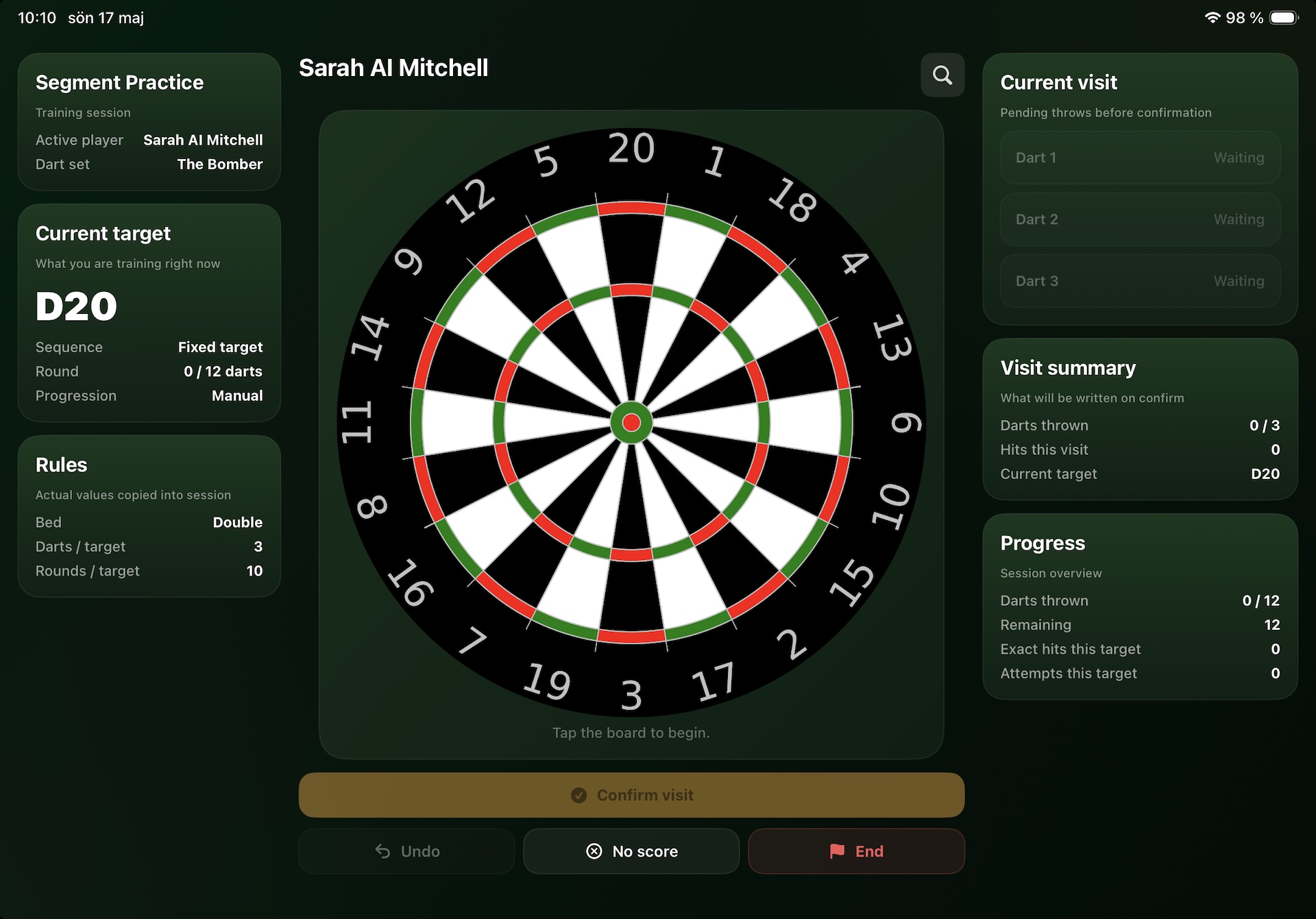
The training screen puts the dartboard front and centre. After each throw, tap where your dart landed on the board. When all darts in the visit are registered, tap Confirm visit to lock in the result.
If a dart flies off the board completely, tap No score to register it as a board miss — these are tracked separately so they don’t skew your hit rate.
Your stats are saved the moment you confirm each visit — so even if you end a session early, nothing is lost.
For more precise marking of your dart hits, tap the magnifying glass in the upper-right corner of the dartboard to enable zoom mode. You can also press and hold directly on the dartboard to display a magnified view around your finger or stylus. This makes it much easier to place each dart exactly where it landed.
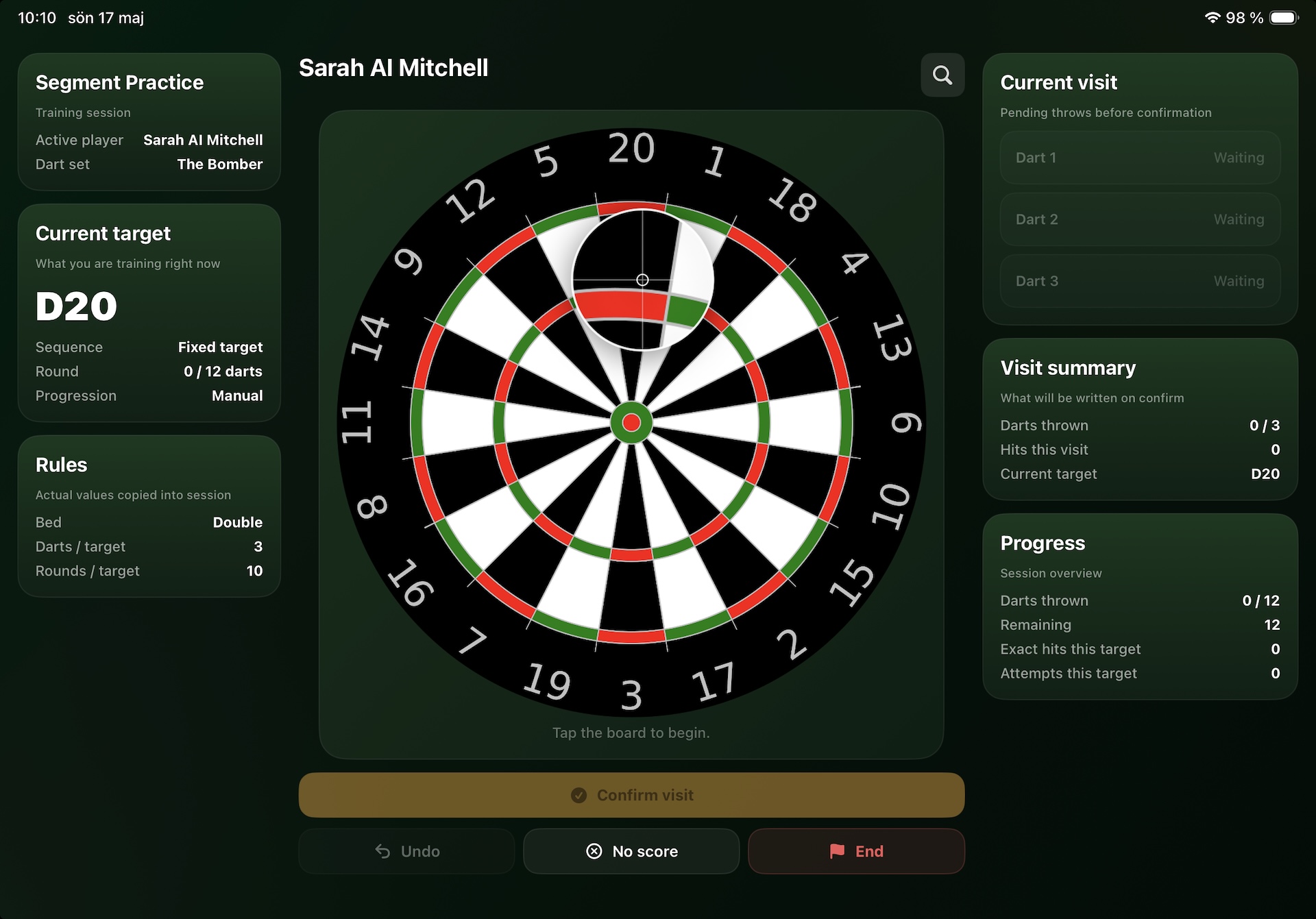
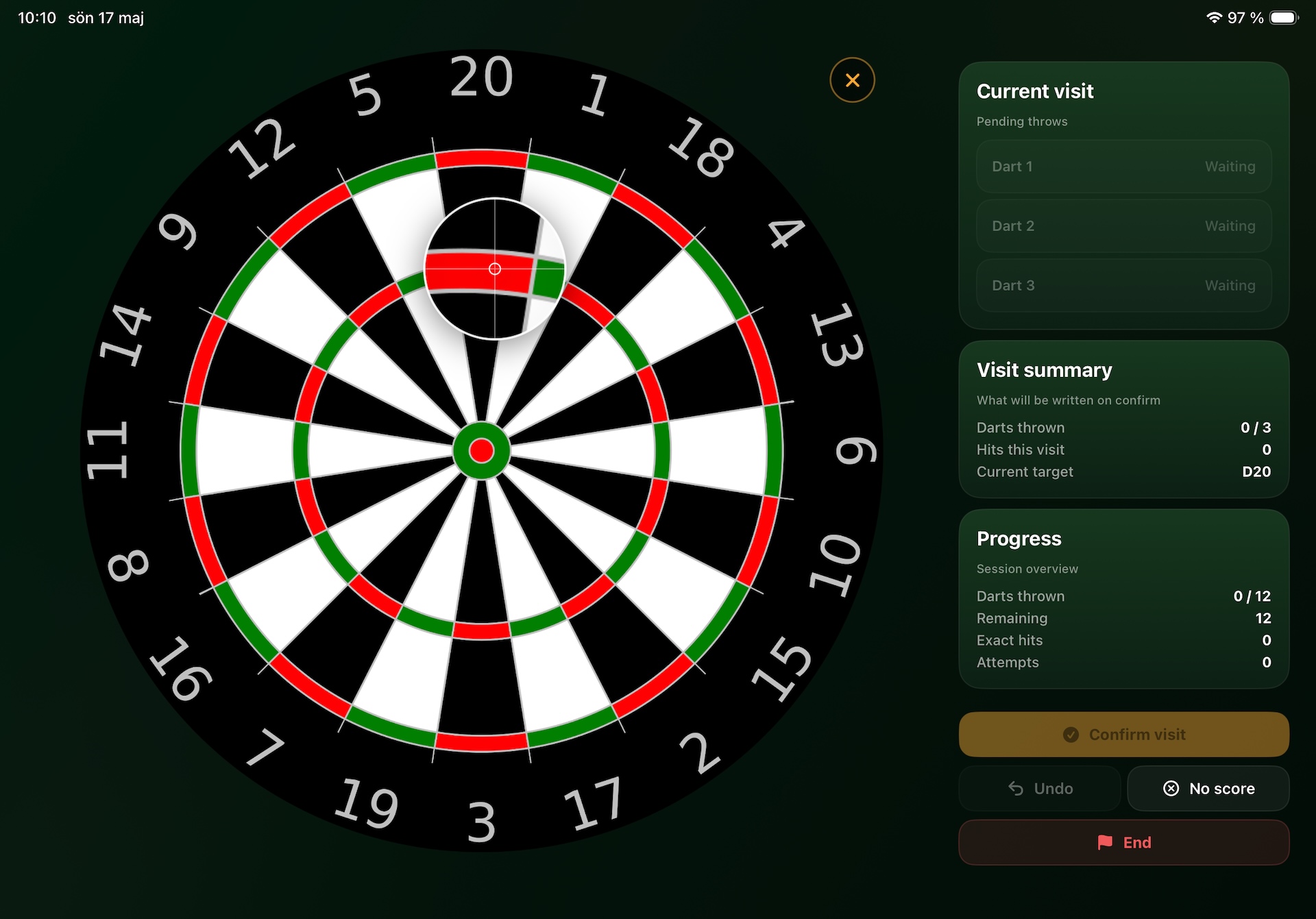
The more accurately you mark each dart hit, the more precise the statistics and performance metrics shown in the app will be. Accurate markings also improve the quality and reliability of the data included in your PDF reports.
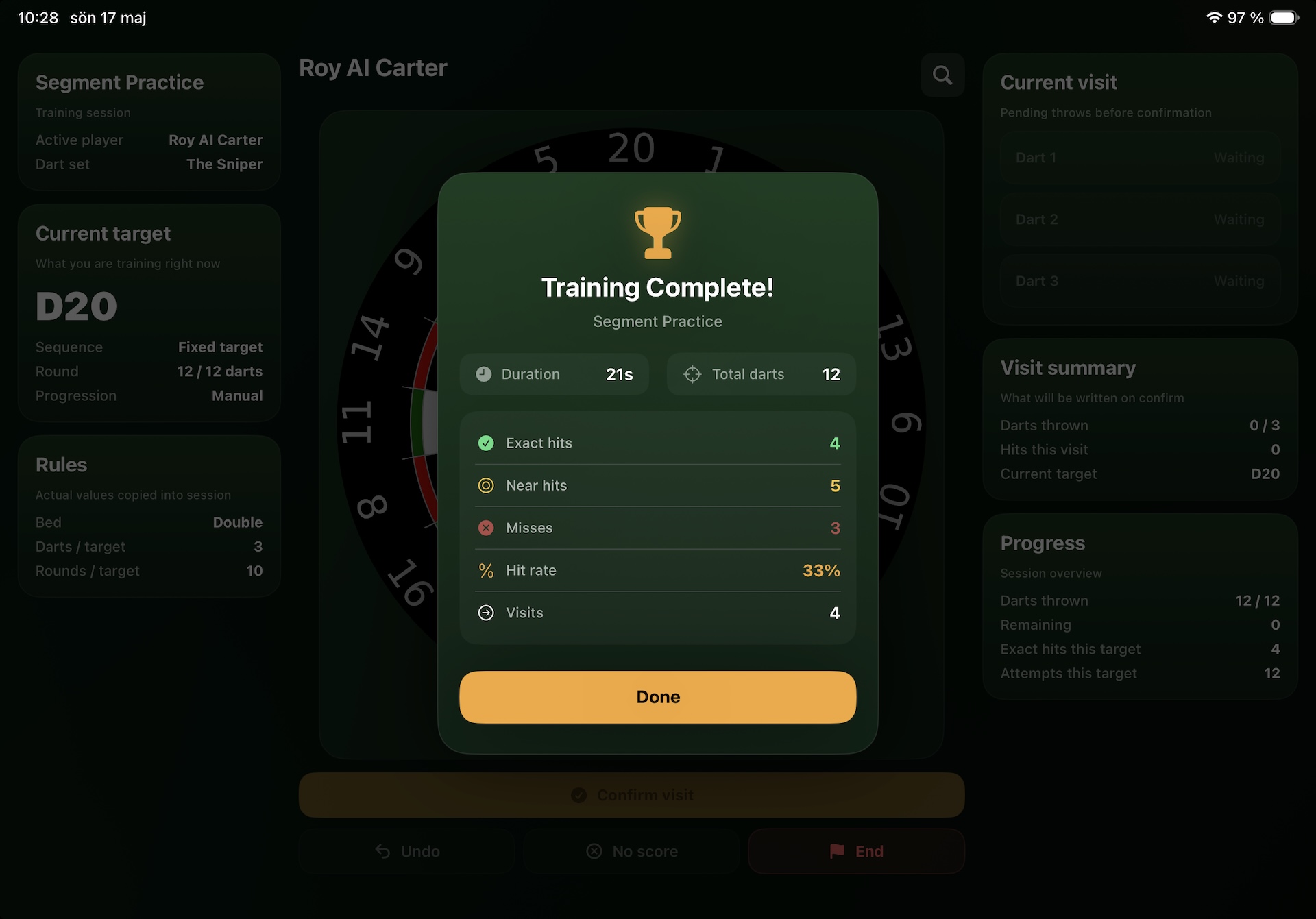
When training are done, a completion summary appears with your hit rate, best visit and session highlights.
Good luck with your training and thank you very much for using Oche Tracker!
Nicklas Bågvinge
Just a stubborn old fella from Sweden with a dartboard and a dream